Edit text and images
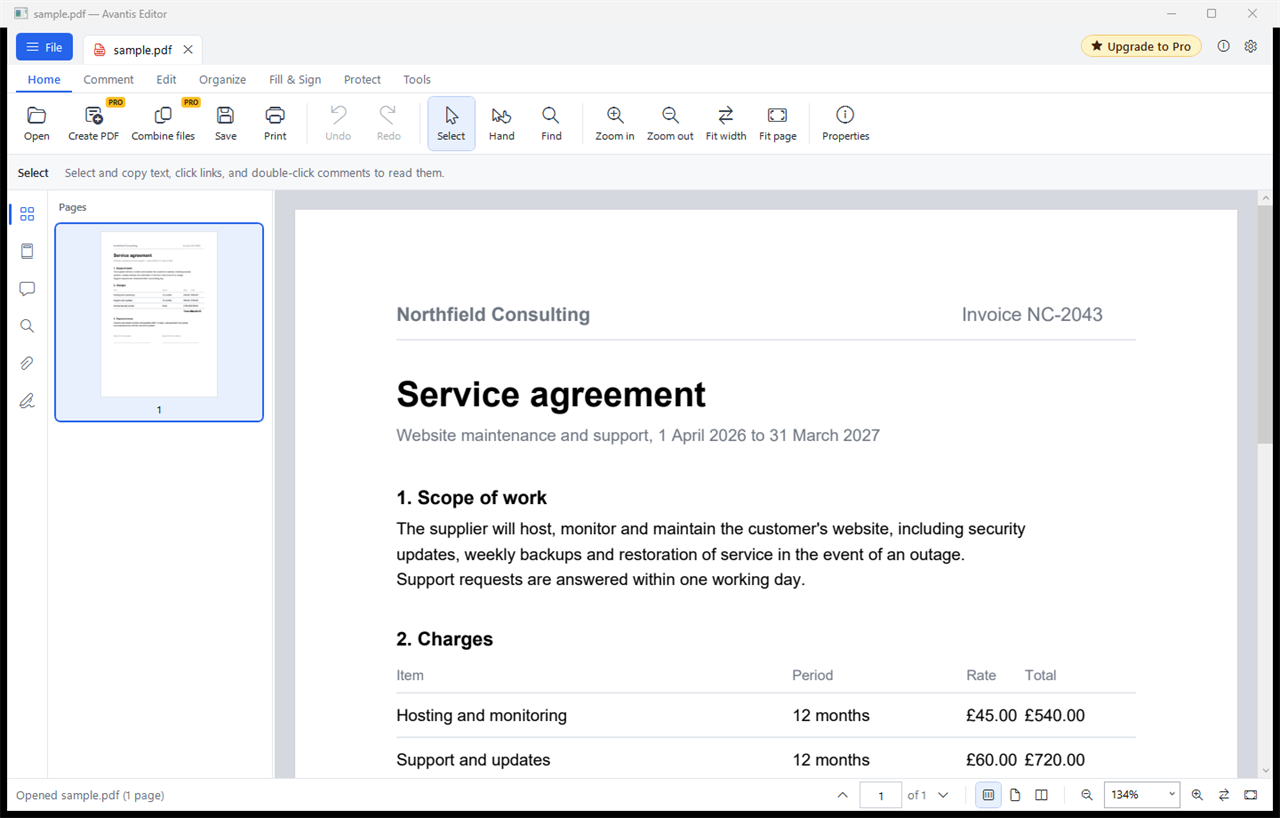
Change words directly on the page, keeping the document's own font. Move, resize, replace or delete anything, and add text, images or whiteout.
00 Avantis Editor · Windows 10 and 11
Read and print PDFs for free. Subscribe to Pro to edit text and images, comment, combine files, fill in and sign forms, protect, redact and convert, all on your own computer.
Also for 32-bit Windows · portable version and all downloads
01 What it does
Change words directly on the page, keeping the document's own font. Move, resize, replace or delete anything, and add text, images or whiteout.
Highlight, underline, strike through, sticky notes, text boxes, freehand drawing, shapes, arrows and stamps, with a list to review them.
Merge files into one PDF, reorder pages by dragging, rotate, delete, insert, extract, split, crop and change the page size.
Fill in interactive forms, or place text, ticks and dates on any document. Sign by typing, drawing or from an image, and build your own form fields.
Passwords and permissions with AES-256, redaction that removes the text and pictures for good, and certificate signatures.
Make scans searchable with text recognition, export to Word, images or text, reduce the file size, and compare two versions.
02 Free and Pro
Avantis Editor
Free
For reading, searching and printing.
Avantis Editor Pro Pro
£7.50 a month
One subscription, up to 2 computers. Cancel whenever you like.
Pro renews monthly. Cancel from the customer portal at any time; it keeps working until the end of the month you've paid for, then the app goes back to Free. Your files are unaffected.
03 Security and privacy
Contracts, payslips, patient letters: the kind of paperwork that should stay where it is. Avantis Editor is built so that it does, and so that IT teams in health, care and the public sector can roll it out with confidence.
Files are opened and saved on the PC they are on. Nothing is uploaded, and there are no analytics, adverts or tracking in the app.
Only Pro contacts us, over HTTPS, to check its licence: it sends the licence key, an anonymous ID for the computer, the computer's name and the app version. It works offline for up to a week.
The PDF engine has no JavaScript in it. Links ask before opening and only go to web or email addresses, and attachments can only be opened if they are ordinary documents or pictures.
Files taken out of a PDF are marked as coming from the internet, so Windows and Office check them and open them in Protected View. Temporary copies are deleted automatically.
A standard Windows Installer package: installs for everyone into Program Files, deploys silently through Intune, Configuration Manager or Group Policy, and uninstalls cleanly.
Uses the proxy Windows is set up with and signs in to it as the Windows user, as health and care networks such as HSCN require. No firewall changes are needed.
For IT teams · silent install
msiexec /i AvantisEditor-1.0.1-x64.msi /qn
msiexec /i AvantisEditor-1.0.1-x64.msi /qn DESKTOPSHORTCUT=0   # without the desktop shortcut
msiexec /x AvantisEditor-1.0.1-x64.msi /qn                     # uninstall
04 Getting Pro
Pay through our secure checkout, run by Stripe.
Your licence key appears as soon as the payment goes through.
In Avantis Editor, click Upgrade to Pro, paste the key, and every tool unlocks.
05 Questions
No. Avantis Editor opens and edits files on your own computer, and nothing in them is ever sent to us or anyone else.
With Pro only: your licence key, an anonymous ID for the computer (a one-way code, not anything Windows could trace back), the computer's name so you can tell your computers apart, and the app version. It checks at most every 12 hours, and carries on working for up to a week without a connection. The free edition sends nothing.
The installer, for almost everyone. It adds Avantis Editor to the Start menu and desktop, offers it when you open a PDF, and appears in Settings › Apps to uninstall. The portable version is a single file that runs without installing, for PCs where you can't install software.
Yes. The installer is a standard .msi: install it silently with msiexec /i … /qn through Intune,
Configuration Manager or Group Policy. Add DESKTOPSHORTCUT=0 to leave out the desktop shortcut.
Each download's SHA-256 checksum is on the downloads page.
Right-click any PDF, choose Open with › Choose another app, pick Avantis Editor and tick Always. Windows leaves that choice to you, so the installer never changes it by itself.
Pro carries on until the end of the month you have paid for, then the app returns to Free. Your files are unaffected.
Yes, on up to 2 computers at once. Free up a computer at any time from Licence › Deactivate on this computer.
Windows shows that for new programs until enough people have downloaded them. Choose More info, then Run anyway. Each download's checksum on the downloads page lets you confirm the file is ours. Installing from the Microsoft Store avoids the message altogether.